
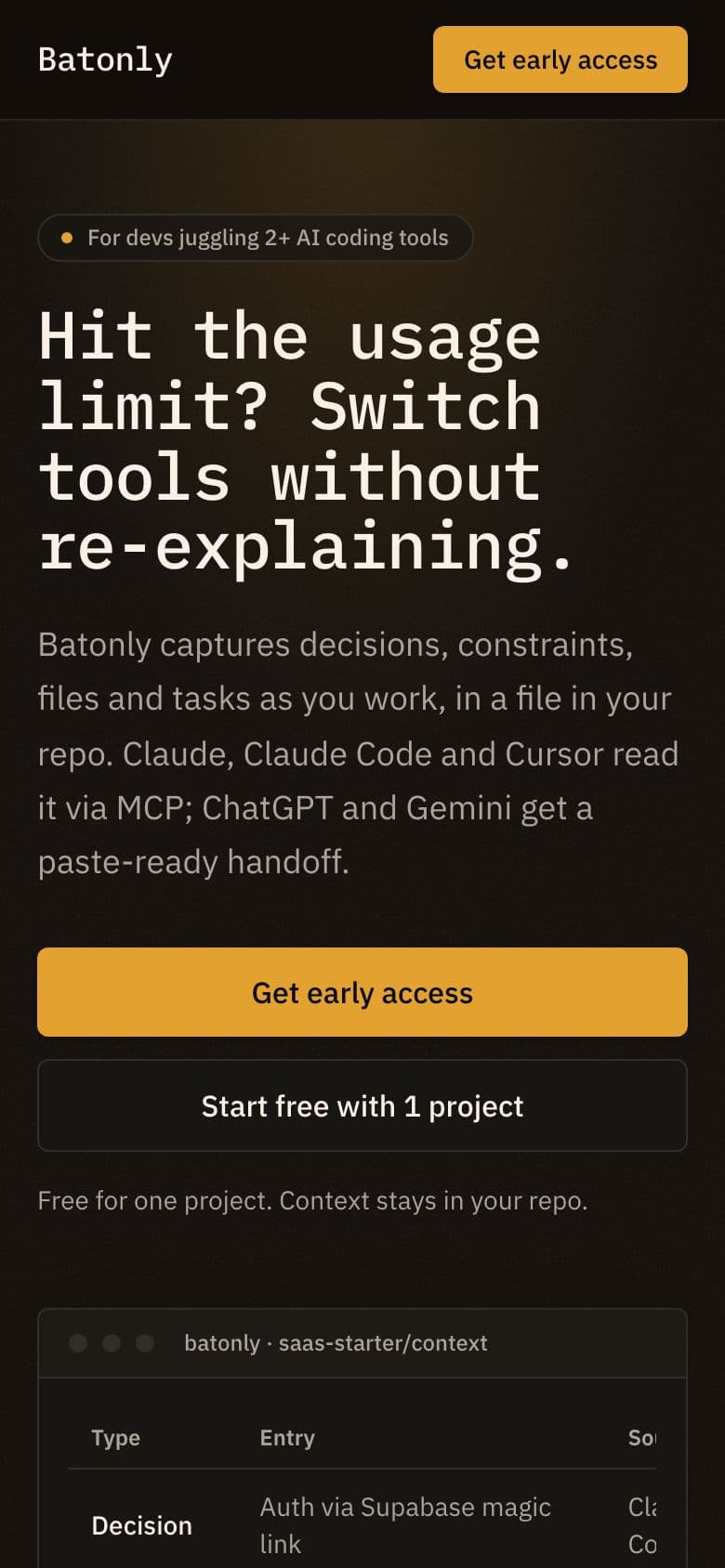
Why it's built this way
Headline
Hit the usage limit? Switch tools without re-explaining.
It opens on the moment one post described: a chat limit hits mid-project and you have to re-explain everything to another tool. The visitor sees their own problem first. The promise, switching without re-explaining, comes second and stays plain.
Words it borrows from real posts:
- “copy it over by hand”
- “copy the answer back”
- “only part of the problem”
- “stale facts”
Sections, in order (11)
- Navigation: It gives developers a quick way to jump to how it works, pricing or the FAQ. The early access button stays in reach from the top.
- Hero: It names the limit-hit moment and says what gets kept: decisions, constraints, files and tasks. The table mockup shows an old decision marked superseded, which answers the worry about stale facts.
- Problem: It plays back the pains from the posts: being the go-between, summaries that drop constraints, notes going stale, full chats adding noise. Some quotes are written for the page, not taken from the posts.
- How it works: Four short steps show the setup is light and ends at the limit-hit moment. That keeps the story tied to the problem people raised.
- Features: Each feature answers one complaint from the posts: stale facts, writing summaries by hand, transcript noise. It also covers where the context lives.
- Who it's for: It names who it fits: one project, several AI tools, hitting limits. It also says who should skip it, so the right visitors self-select and the test signal stays clean.
- Comparison: It sets the idea against what people already do, copy-paste, summaries and hand-kept rules files, using the same gaps the posts pointed out.
- Pricing: It frames the cost against a lost session and the tools people already pay for, so the plans read as small next to the pain.
- FAQ: It answers the doubts a developer would raise: why not keep a notes file, privacy, which tools work, wrong captures, and how it differs from built-in memory.
- Final call to action: It repeats the limit-hit moment one last time and asks for the same click, so visitors who read to the end have a clear next step.
- Footer: It closes with a one-line summary of the idea: one shared project context for every AI coding tool.
Price
- Free: Free
- Pro: $9 a month
A free plan for one project lets someone try it on the project that hurts now. Pro at $9 a month unlocks unlimited projects, so the split follows how much someone relies on it. The price stays small next to the AI tools they already pay for.
Call to action
The button says Get early access. After the click: Batonly is almost ready
"Get early access" is honest, because the product does not exist yet. Ghostlaunch built this page to test the idea. The click asks only for interest, and the dialog says Batonly is almost ready. The free-project button tests the same intent from a different angle.
Look
Brand colour #E3A12F, the “technical” font pair, a dark theme.
The people asking work in code editors and terminals, and most of those run dark. A dark theme with a technical font pair feels native to that setting. The amber brand colour stands out against the dark background for buttons and status marks without feeling loud.
The demand behind it
Batonly was built for a problem people keep posting about: People working on one project across several AI tools end up as the go-between, copying output over by hand and pasting answers back so each tool knows what happened. When a chat limit hits mid-project, they have to re-explain everything to another tool. Copying the whole chat creates noise, a short summary drops decisions, files and constraints, and an external chart can let stale facts take over.
“Any time one needs the other’s output, I copy it over by hand, and then copy the answer back if the first one needs to know what happened.”
r/chatgpt · 13 Oct 2026 · Read it on Reddit (I’m the clipboard between my AI tools and it’s getting old) “Syncing the code is only part of the problem.”
r/claudeai · 23 Sep 2026 · Read it on Reddit (How do you seamlessly switch between home and work computers with Codex and Claude Code?)
Make one for your idea
Describe your idea and see who's asking for it. If you want, Ghostlaunch builds a page like this one and runs the 7-day test.
More AI examples
- Didrun · Agent Done Checker
- Diffrank · AI Code Review Queue
- Vettly · Security Check for AI Apps
- All AI landing page examples